
Findio: GPS phone tracker
Fortunex LimitedParenting
4.1483.00 Reviews
- Version
- 2.0.1
- Installs
- 1.00M
- Age Rating
- Everyone
Screenshots
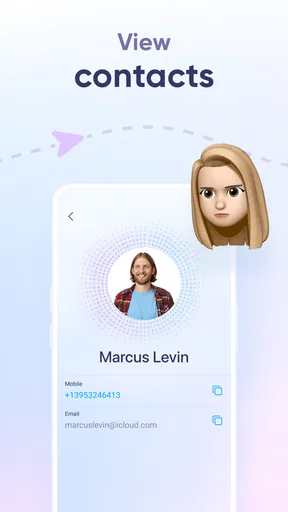
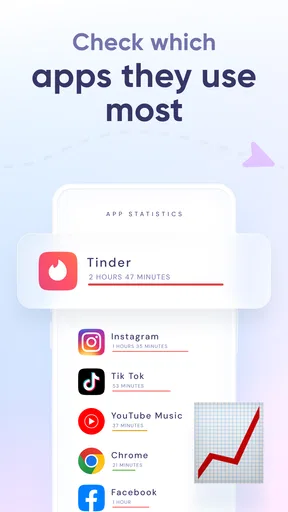
Our Review of Findio: GPS phone tracker
 Analysis by Appyee
When I’m trying a location-sharing app for the first time, I want to know two things: what I can actually do with it, and how to make the first useful check without turning setup into a project. Eyezy: GPS Phone Tracker is a free parenting app from Fortunex Limited, built around seeing a phone’s location and sharing it with family. Its purpose is easy to grasp, but the value depends on setting it up with the person whose location will be shared and agreeing on when location checks are appropriate.
That distinction matters. Location tools are most reassuring when everyone involved understands what is being shared and why. I’d treat Eyezy as a practical coordination aid for a family, not as a substitute for a conversation, a check-in, or emergency services. If you are choosing an app for a child, I’d explain the arrangement in age-appropriate terms; for another adult, I’d make consent explicit before connecting anything.
Getting Started with Eyezy
First things first, let's talk about setting up. Downloading Eyezy from the app store was a piece of cake. Once installed, the app walks you through a straightforward setup process. I appreciated how user-friendly everything was—no complicated tech jargon here. The app is compatible with both Android and iOS, so you're covered no matter what device you or your family uses.
For a first-time user, I’d make setup a shared task rather than trying to configure everything in a hurry. Keep both people available, decide whose phone is being located, and check that the location-sharing arrangement is understood on each device. A family member should know who can see their location and when it is being used. That small step prevents the most common source of friction: one person expecting a useful check-in while the other is surprised by the tracking.
Eyezy is listed for devices running Android 8.0 or later. The app is free to install, though in-app purchases range from $2.99 to $99.99 per item, so I would check the purchase details in the app before committing to anything paid. It is rated for Everyone. The current version is 1.10.0, and the app has a 4.1 average from around 3,200 ratings, with more than a million installs. Those figures give a sense of its reach, but they don’t tell you whether the way it handles location fits your household; the setup and day-to-day routine matter more.
Features That Stand Out
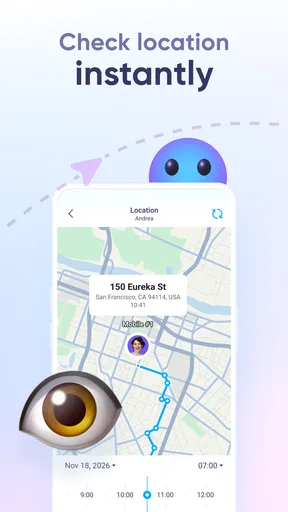
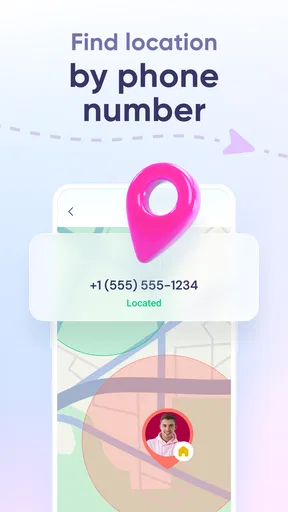
So what makes Eyezy stand out in the crowded world of GPS trackers? For starters, it offers real-time location tracking. This means you can see exactly where your phone—or your kid’s phone—is at any given moment. I tested this by taking a little walk around my neighborhood, and sure enough, the app updated my location instantly. It’s like having a digital breadcrumb trail at your fingertips.
For a first successful use, I’d keep the goal modest: use a location check to answer one practical question, such as whether a family member has reached an agreed destination. Open the app, check the shared location, and then use a normal message or call if the map leaves you uncertain. A map position is a helpful clue, not proof that someone is safe or available to talk. In a busy street, a large building, or an area with weak reception, it can be less precise or take time to refresh.
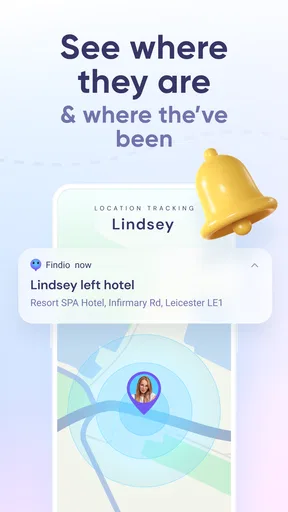
Another feature that I found super useful is the geofencing option. You can set up certain areas as safe zones, and the app will alert you when the phone enters or leaves these zones. This is perfect for keeping tabs on kids or elderly family members. I set a geofence around my local coffee shop and got notified the moment I arrived. It’s pretty neat!
Geofences work best when they represent a clear routine rather than every place a person visits. I’d start with one location that genuinely reduces repeated check-in messages, such as a school or a relative’s home, and agree on what an arrival or departure alert means. If a notification arrives late, it may reflect a delayed update rather than a deliberate change of plan. Alerts can prompt a conversation, but they shouldn’t become a reason to assume the worst or to monitor someone constantly.
Eyezy also provides a privacy-focused approach to tracking. You can choose who can see your location and when. This control over privacy is refreshing, especially in a world where data privacy is such a hot topic.
That control is also why I’d review sharing settings together after the initial setup, especially if the phone is used by a teenager or shared among family members. Make sure the people involved know which account is being used and who can view the location. If the arrangement changes—say, a child becomes more independent or a family member no longer wants to share—revisit the setup instead of letting an old permission quietly become permanent.
Performance and Reliability
Now, let’s talk about performance. I found Eyezy to be quite reliable. The app didn’t crash or lag, and the interface is smooth. The battery consumption was minimal, which is a big deal for me since I hate apps that drain my phone’s battery like there’s no tomorrow.
In everyday use, I’d still avoid treating any location app as a guarantee of an instant update. A phone that is switched off, out of battery, or unable to connect cannot provide a dependable current position. If the map looks stale, first check whether the phone is online and whether location sharing is still enabled; then contact the person directly if the situation matters. That is more useful than repeatedly refreshing the map and reading too much into a delay.
The app also includes a history feature where you can view past locations. I found this particularly useful to retrace my steps when I misplaced my phone earlier this week. It’s like having a personal detective in your pocket!
Location history can be useful for a narrow, practical reason—remembering where a phone may have been left, for instance—but I would not turn it into a minute-by-minute account of someone’s day. Before relying on past positions, consider whether the history is relevant to the problem you are solving and who in the family should be able to look at it. Keeping the purpose limited makes the feature more helpful and less intrusive.
Who Can Benefit from Eyezy?
Eyezy isn’t just for parents keeping track of their kids. It's for anyone who needs to keep tabs on their phone’s location or ensure their loved ones are safe. It’s also a great tool for people who travel frequently and want to keep a record of places they’ve visited.
A realistic family routine might be a parent checking whether a child has arrived after an after-school activity, then sending a quick message if the location has not updated. The useful outcome is less guesswork and fewer unnecessary calls—not a promise that the app can prevent every problem. For a caregiver coordinating with an older relative, shared location may help with a specific agreed check-in, but it should support rather than replace direct communication and other care arrangements.
For businesses, Eyezy can be a game-changer. If you manage a fleet or have employees on the move, keeping track of their locations can streamline operations and improve efficiency.
I’d be more cautious about using a family-oriented location app as a workplace tracking system. Employee location monitoring raises different expectations around notice, consent, and appropriate use, and a dedicated business tool may offer a better fit for dispatch, work schedules, or fleet management. Similarly, someone who only wants to find a misplaced personal phone may prefer the built-in device-finding option on their phone, since installing a separate family-sharing app can be unnecessary for that single task.
Choosing the Right Routine
Compared with the usual alternatives, Eyezy sits in the family location-sharing category: it is most relevant when more than one person wants a shared way to check where a phone is. A built-in location-sharing feature may be simpler if your household already uses the same phone platform and needs only occasional sharing. A phone’s native finder is a more focused choice for locating your own lost device, while a messaging app’s temporary location share can be more suitable for a one-off journey. Eyezy makes more sense when you want a continuing family arrangement rather than a single map link.
Before you settle on it, ask what problem you want to solve. If the answer is “we need to know whether everyone has reached the usual meeting point,” a shared location tool can reduce back-and-forth. If the answer is “I want to know where another adult is without asking,” I would not recommend any tracking app for that purpose. The distinction between coordination and surveillance is not a technical detail; it is what makes location sharing trustworthy.
One practical tip is to decide in advance what each person should do when a location is unavailable. Agree on a simple fallback, such as sending a message when arriving, rather than assuming a missing update means something is wrong. Another is to keep alerts selective: a small number of meaningful places is easier to act on than a stream of notifications. These habits help the app stay in the background until it answers a real question.
When Eyezy May Not Be the Best Fit
Eyezy is a reasonable choice for families who want ongoing location sharing and are comfortable setting clear boundaries around it. I would skip it if the person carrying the phone does not agree to share their location, if you need guaranteed live tracking, or if you only need to find your own device once in a while. It may also be the wrong choice for anyone who dislikes location history or would rather keep family coordination inside tools they already use.
Parents should also consider a child’s age and independence. A younger child may benefit from a simple arrival check, while an older teenager may see continuous location access as intrusive. In that case, agreeing on limited use—such as checking during a commute or when plans change—can be more respectful than leaving sharing on without discussion. The app cannot settle that family decision; the people using it have to.
Wrapping It Up
In a nutshell, Eyezy: GPS Phone Tracker offers a seamless blend of functionality and ease-of-use. Whether you’re a worried parent, an adventurous traveler, or someone who just wants peace of mind, this app has got you covered. It’s reliable, user-friendly, and respects your privacy.
My recommendation is more specific: try it if your household wants an agreed, ongoing way to check a phone’s location, and judge it by whether it makes everyday coordination calmer. Start with one person, one clear purpose, and a small number of useful checks. If the arrangement creates more tension than reassurance, turn location sharing off or choose a less continuous alternative.
If you’re interested, you can download Eyezy from the app store and give it a spin. Trust me, it’s worth checking out. Happy tracking!
Privacy and Permissions
See what permissions an app requests and how it handles your data.
- Contacts
- read your contacts
- Location
- approximate location (network-based), precise location (GPS and network-based)
- Phone
- read phone status and identity
- Camera
- take pictures and videos
- Microphone
- record audio
- Wi-Fi connection information
- view Wi-Fi connections
- Device ID & call information
- read phone status and identity
- Other
- view network connections, pair with Bluetooth devices, full network access, change your audio settings, run at startup, draw over other apps, control vibration, prevent device from sleeping
Verdict
Strengths of Findio: GPS phone tracker
- Accurate real-time location tracking.
- Easy-to-use interface for beginners.
- Customizable alerts for location changes.
- Battery-efficient tracking feature.
- Cross-platform compatibility.
Limitations of Findio: GPS phone tracker
- Requires internet connection to function.
- Limited free version features.
- May raise privacy concerns for users.
- Occasional GPS signal loss.
- Subscription can be expensive.
Similar Picks in This Category
View All
Family Space
Motorola Mobility LLC.3.9

شرطة الأطفال - مكالمة وهمية
Oub Apps4.1

Findmykids: Parental Control
LETEM LTD4.6

Pregnancy + | Tracker App
Philips Electronics UK Limited4.8

Policía de niños - para padres
Kids police4.7

Pregnancy App
Amila4.9
Frequently Asked Questions
What features does Eyezy offer for tracking a phone?
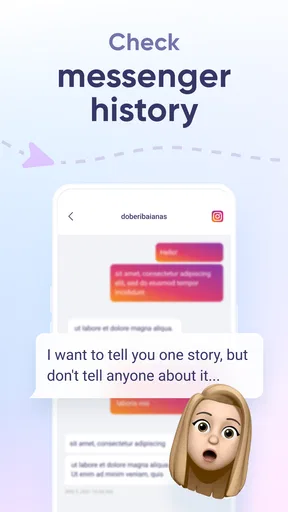
Eyezy provides a comprehensive set of tracking features, including real-time GPS location tracking, geofencing alerts, and location history. Additionally, it offers monitoring of calls, messages, and social media activities. The app is designed to help users keep track of their loved ones' whereabouts and ensure their safety.
Is Eyezy easy to install and use on a smartphone?
Yes, Eyezy is designed with user-friendliness in mind. The installation process is straightforward, usually requiring only a few steps to set up. Once installed, the app's intuitive interface allows users to easily navigate through its features and settings, making it accessible even for those who are not tech-savvy.
How secure is Eyezy in terms of data privacy?
Eyezy prioritizes user privacy and data security. The app uses advanced encryption to protect personal information and ensure that data is only accessible by authorized users. It complies with privacy regulations and is regularly updated to safeguard against any potential vulnerabilities.
Can Eyezy be used without the phone owner's permission?
No, Eyezy should only be used with the consent of the phone owner. Unauthorized tracking is a violation of privacy laws and the app's terms of service. It is crucial to obtain permission before installing the app on someone's device to ensure ethical and lawful use.
Is Eyezy compatible with all smartphones and operating systems?
Eyezy is compatible with both Android and iOS devices, but it's important to check specific device requirements before installation. The app supports a wide range of smartphones, but older models or outdated operating systems might not be fully supported. Always verify compatibility to ensure optimal performance.
